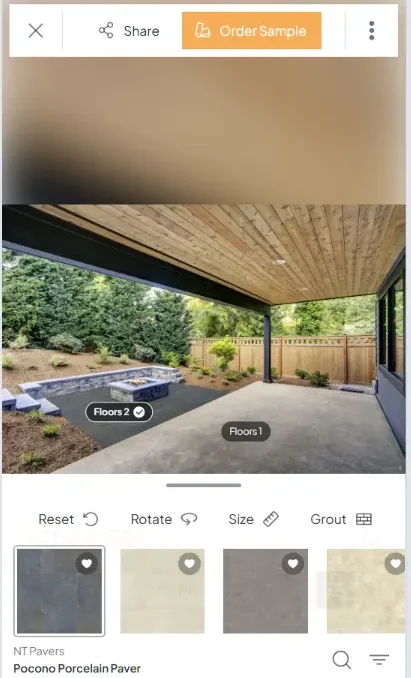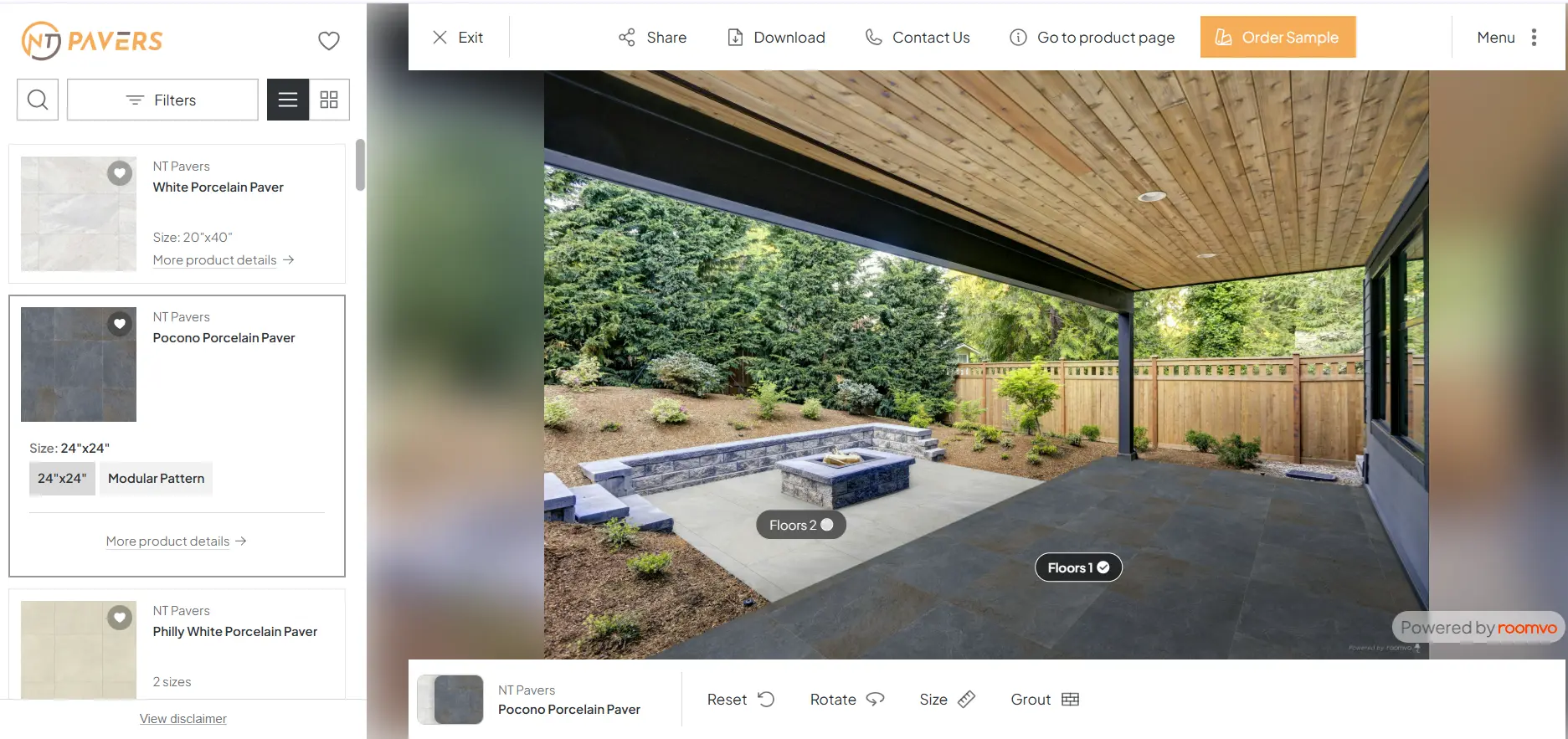


Outdoor Multi-Surface Visualizer

See Your New Paver Design Before Installation

Upload a photo of your driveway, patio, pool deck, or walkway and instantly visualize NT Pavers products in your own space.

Simple Process

Visualize Your Multi-Surface Design in Seconds

Three steps stand between you and a confident paver decision. No design experience required.

Upload Your Space 1

Upload Your Space

Take a photo of your patio, driveway, pool deck, or backyard. Any angle, any time of day — our AI handles the rest.

Select Your Pavers 1

Select Your Pavers

Browse our curated library of colors, textures, and laying patterns. Mix and match to find your perfect combination.
See Instant Results 1

See Instant Results

Preview your project in real-time before making any purchase decision. Save, share, or refine until it’s perfect.

Design with Confidence

Eliminate Guesswork Before Installation

The NT Pavers Visualizer turns uncertainty into clarity — so every decision you make is backed by a real preview of your finished space.

Avoid Costly Mistakes

Design decisions made before installation prevent expensive rework and material waste.

Make Faster Decisions

See results instantly instead of spending weeks flipping through catalogs and samples.

Match Your Home's Style

Visualize designs against your actual property to ensure a perfect aesthetic fit.

Gain Full Confidence

Walk into installation day knowing exactly what the finished project will look like.

image 25 e1781698123144

Simple Comparison

Compare Your Multi-Surface Design

Can’t decide between two paver styles? Our comparison tool lets you view them simultaneously so you can make the right choice without guessing.
image 24

Built for Homeowners

Why Homeowners Love the NT Pavers Visualizer

Every feature was designed to make your decision easier, faster, and more confident.

Upload Your Space

Upload Your Own Photo

Visualize designs using your actual property — not a stock photo. Upload any photo from your phone or camera.

Instant Surface Recognition

Instant Surface Recognition

Our AI automatically detects paver and hardscape areas so you can apply designs with a single tap.

Compare Multiple Designs

Compare Multiple Designs

View different paver styles side-by-side to confidently narrow down to your favorite combination.

Save Favorite Designs

Save Favorite Designs

Keep your best concepts organized and accessible for later review, whenever you're ready to decide.

Share with Anyone

Share with Anyone

Send your visualized designs to your family, contractor, or designer before committing to installation.

Mobile Desktop Friendly

Mobile & Desktop Friendly

Design from your couch, the job site, or anywhere in between. Works beautifully on every screen size.

Frequently Asked Questions

Everything you need to know about the NT Pavers Visualizer.

Absolutely. The NT Pavers Visualizer is built around your actual space. Upload a photo from your phone, tablet, or camera and our AI will detect the paver areas automatically. The more natural light in your photo, the better the result.

Yes — completely free. There are no sign-ups, subscriptions, or hidden fees. Just upload your photo, choose your pavers, and visualize your project instantly.
Yes. Our side-by-side comparison mode lets you place two different designs next to each other on your uploaded photo so you can see the difference without switching back and forth.
Yes. Create a free account to save your favorite visualizations and access them any time. You can also organize saved designs by project (driveway, patio, pool deck, etc.).
Yes — the visualizer is fully responsive and designed to work beautifully on phones, tablets, and desktops. You can even take a photo and visualize it right from your yard.
Yes. Every saved design gets a shareable link you can send to your contractor, landscaper, or family members. No account required to view a shared link.

Ready to Design Your Outdoor Space?

See exactly how NT Pavers will look in your project before installation begins — free, instant, and beautifully accurate.